Stop managing security.Let it manage itself.
promiseQ is an edge AI layer for the cameras you already have. Install it on your own hardware, say what should raise an alert, and Cuby, the built-in AI agent, builds and tunes the alert flows.
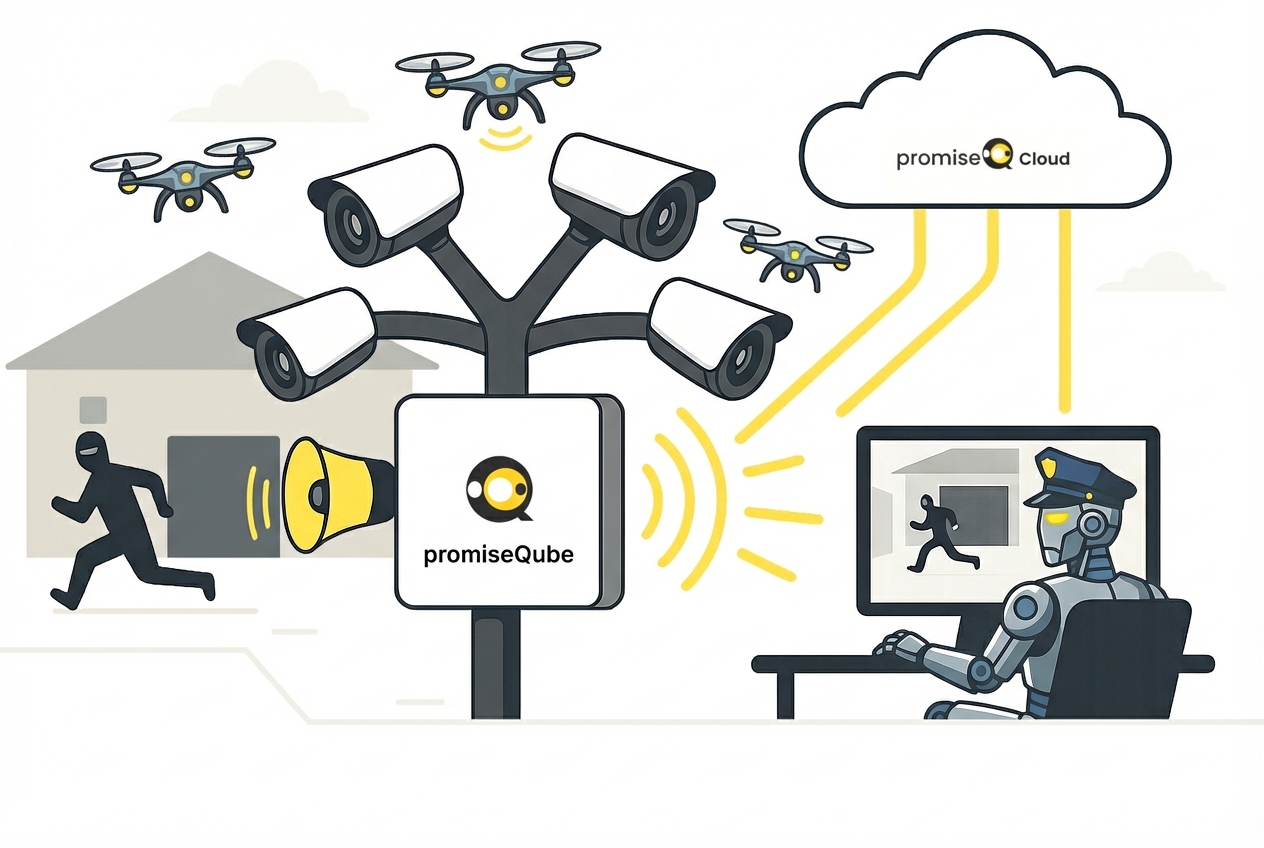
promiseQ is an edge AI layer for the cameras you already have. Install it on your own hardware, say what should raise an alert, and Cuby, the built-in AI agent, builds and tunes the alert flows.
$ curl -sSL https://www.promiseq.com/install.sh -o install.sh
$ sudo bash install.sh
The installer detects your hardware and picks the best setup — it only asks you to confirm.
Full installation guide →promiseQ is a private project, provided as is, without SLA or warranty.
The promiseQube slots into any ONVIF camera network and immediately exposes it to agentic control — from robot fleets and alarm platforms to AI systems like Claude or OpenAI. You install it; the AI runs it.
Promptable in plain language by humans, robots, or any AI system — no specialist configuration needed.
Works with your existing ONVIF-compliant cameras. No rip-and-replace.
Person and vehicle detection runs on the device — no video leaves your site for detection, and alerts keep working when the internet is down.
Install on a mini-PC, VM, Raspberry Pi, NVIDIA Jetson or Qualcomm board you already own. Get started in minutes.
Alert flows
Every alert comes from a flow: blocks you connect in a visual editor, or that Cuby puts together from one sentence. Nothing is saved until you confirm.
“Alert me when someone enters the driveway at night carrying something.”
With on-device detection
On any hardware, using the camera’s own analytics
Needs hardware that runs detection on the device. Every other block runs on any promiseQube.
Deployment options
promiseQube is software. Run it on hardware you already own — one install command, and the installer detects your hardware and sets up the right AI stack, with the Cuby AI agent included.
We run promiseQube on these devices ourselves.
| Your hardware | On-device detection | Cuby AI |
|---|---|---|
| x86_64 machine — mini-PC, VM or server (Ubuntu 22.04 / 24.04) | CPU (ONNX Runtime), no accelerator needed | Cloud LLM |
| Raspberry Pi 5 + AI HAT+ · Seeed reComputer R2000 | Hailo-8 NPU | Cloud LLM |
| NVIDIA Jetson Orin Nano · Seeed reComputer NX (Jetson Orin NX) — JetPack 6 | GPU (DeepStream) | On-device on 16 GB+ boards, cloud LLM otherwise |
| Qualcomm Dragonwing IQ-9075 EVK Where to buy:IQ-9075 EVK | Hexagon NPU | On-device vision LLM |
| Raspberry Pi 4 · Raspberry Pi 5 without AI HAT+ | — (uses your cameras’ own analytics) | Cloud LLM |
From the first camera to a site full of them, on the device and from the cloud.

The onboard AI agent that understands context and takes action. Describe what should raise an alert in plain language — Cuby builds the alert flow and saves it once you confirm.

Build what each camera alerts on from blocks — schedule, detector, zone, line, motion — in a visual editor, with metrics and version history.
Ask a yes/no question before an alert goes out — “is the person carrying something?” — so shadows and headlights don’t page anyone.

Person and vehicle detection on the device, in real time. No video leaves your site for detection, and alerts keep working when the internet is down.
The Qube shows up as an ONVIF device in Milestone, Genetec, Synology and other VMS — adding AI without changing the system your operators use.

Push alerts, snapshots and clips to your platform via webhooks, MQTT or media push — straight from the device or through the cloud.

Automatically track camera uptime, connectivity, and performance across all deployments.

Black out sensitive areas with privacy zones, and decide which cameras Cuby and cloud streaming may access at all.

Recordings stay on your Qube. Scrub the timeline in the browser and jump straight to the moments an alert fired.
Store critical alerts locally during network outages and forward them once connectivity is restored.

The Qube tells you when a new release is out, and one click installs it. Nothing updates on its own.

Full PTZ control — pan, tilt, and zoom via API or agent command.
For integration partners
Everything a partner needs to put cameras, alerts and live video into their own product.
Your users sign in to promiseQ and approve exactly which Qubes and permissions your app gets. No shared passwords, no copied tokens.
Docs →Devices, cameras, alerts, recordings and flows, on the Qube and in the cloud, with scoped access tokens.
Docs →Live view, playback, PTZ and alert clips in your own UI with the framework-agnostic @promiseqube/webrtc-core SDK.
Docs →Let your AI agents query cameras, build flows and review alerts through the Model Context Protocol.
Docs →Fully integrated: connect your promiseQ account, see live cameras per site, and receive verified video alarms in your workflows.
Each promiseQube is powerful on its own — but connected to promiseQ Cloud, your entire deployment becomes one coordinated, intelligent network.
Manage every device from a single place. Access live views, configure settings remotely, and give your agentic systems a single control plane to work from.
Hosted on German cloud infrastructure and fully usable on mobile — from any browser, anywhere.
promiseQ Cloud is free to use. Start connecting your devices today.
Login to Dashboard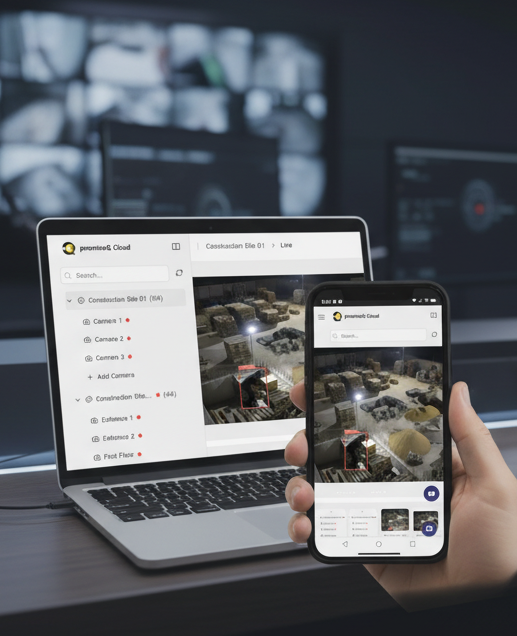
Installing for a customer? Building an agentic security platform? Exploring what’s possible?
We’d love to hear what you’re working on.